| Page change | Every page | A crimson panel wipes up over the page (240 ms in, 420 ms out) and the new heading rises 24 px behind it. Focus then moves to the new heading. | The Motion control, or your device’s reduce-motion setting. | No panel. The new page appears at once and focus still moves to its heading. |
|---|
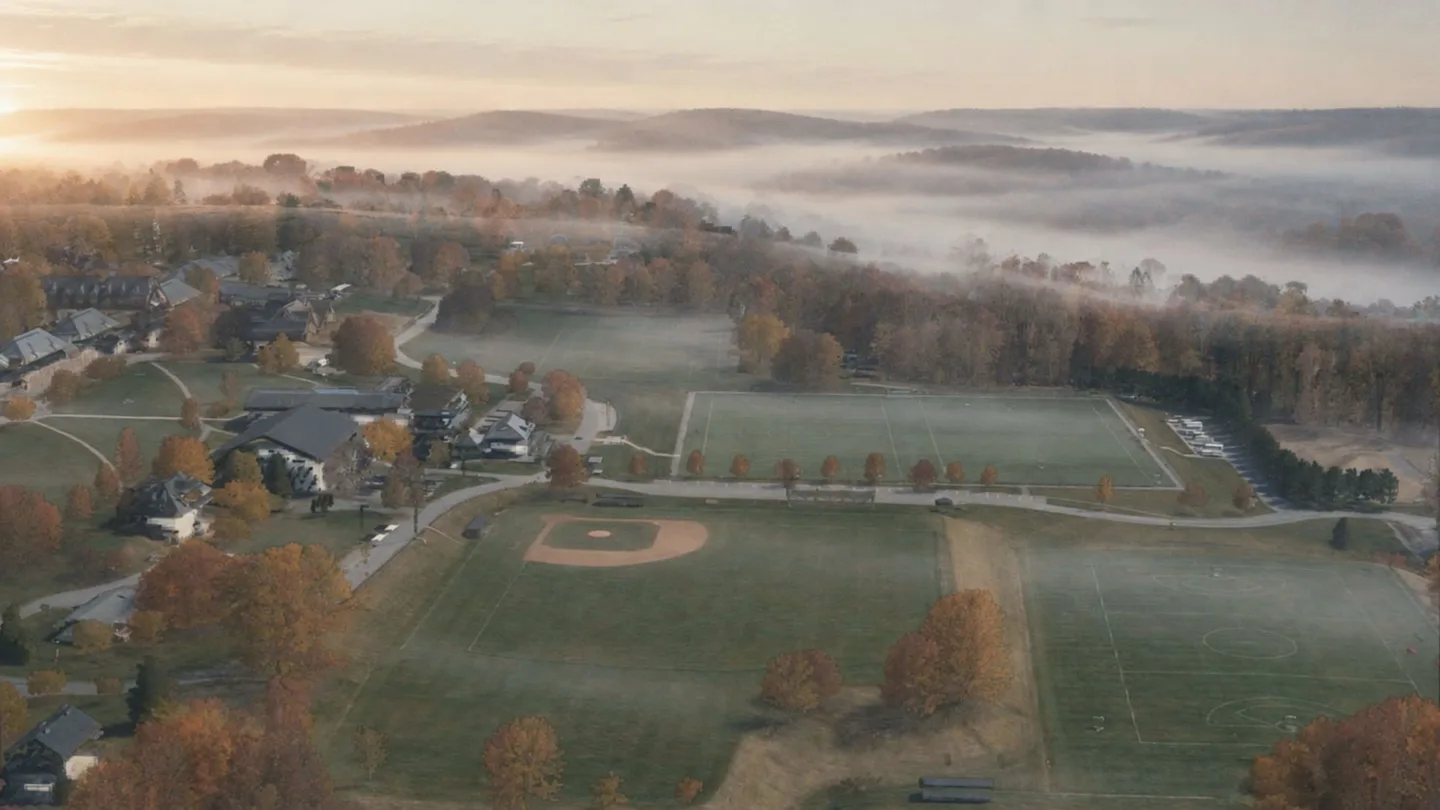
| AI film plates | Home, the campus tour, the observatory stop, the archive, Sources & Methods and the demo below (the Film Register and the page-not-found page show still posters only) | Muted, short clips start when a plate comes within 200 px of the screen, play once and hold their last frame. Never more than two play at once, and they pause when scrolled away or when the tab is hidden. Two plates also drift slightly with the scroll. | The 44 px pause button on the plate itself, or the Motion control. Replay is the same button. | Each plate is its still poster with its label. The video file is never downloaded. |
|---|
| Film grain | On film plates only, never on a photograph | A faint 6% grain texture shifts every 120 ms. | The Motion control, or your device’s reduce-motion setting. | The grain stands still. |
|---|
| Survey flight | Home, on wide screens with a mouse or trackpad | A pre-rendered flight over the real 2023 survey, with the tour stops pinned on their roofs. It moves only as far as you scroll, never by itself, then dissolves into the October plate as three lines rise. | Stop scrolling, or use the Motion control. | One still image of the survey, the pins as a plain numbered list and the lines in place. |
|---|
| 3D survey explorer | The campus tour only | An interactive point cloud of the campus that you can turn, zoom and fly between the stops; on screen, the camera drifts slowly. A desktop with a graphics processor starts it when it comes into view (8.8 MB). Phones and other devices start it only when you press “Explore in 3D”, which shows its size (2.9 MB); there is no video version. A plain scroll always scrolls the page. | Esc or “Done” hands the pointer back; the Motion control turns the view off. | A still image of the survey, with every stop listed as a link. Nothing is downloaded. |
|---|
| Ticker of record titles | Home, the history section | Record titles run sideways at about 40 px a second, stopping while you point at or focus them. Counters count up once to their real values. | Its own 44 px Pause button, or the Motion control. | The titles sit still in wrapped rows, and the counters show their values. |
|---|
| Timeline title cards | The timeline and its six chapter pages | Each title card holds while its records slide over it on ordinary scroll, and its numeral tilts back. A crimson line draws down the margin, the arc of the years draws once, margin years nudge 8 px on hover or focus, and a soft light follows a mouse over the cards. | The Motion control, or your device’s reduce-motion setting. | The cards still stack (that is the layout), but nothing tilts, draws, nudges or glows. |
|---|
| Light table, ledgers and year drums | Humans of Pomfret, the Heads of School and the Schwartz Fellows | Slips settle, the table’s two layers shift up to 6 px with a mouse and the masthead cards fan out once. Term bars and rules draw in, numerals drift and the year drums roll. | The Motion control, or your device’s reduce-motion setting. | Everything lies still in its final place. |
|---|
| Reading room | The archive and its two reading rooms | The desk lamp brightens as each issue comes into view. In a reading room, page turns cross-fade in 400 ms and a loupe follows a mouse over the pages (never over the covers). | The Motion control, or your device’s reduce-motion setting. | Pages change at once and there is no loupe. “Detail” still opens every scan. |
|---|
| Survey still and endnotes | Sources & Methods | On the survey still a crimson line sweeps once, the stop marks drop in and six frames develop as you scroll. Filtered endnotes ease forward. | The Motion control, or your device’s reduce-motion setting. | Everything is shown at once, in place. |
|---|
| Tour stop openings | The six tour stop pages | The opening picture settles from 108% to its own size as you start to scroll, and the ring on the roof pulses three times. | The Motion control, or your device’s reduce-motion setting. | The picture sits at its own size and the ring is still. |
|---|
| Headings and reveals | Most pages | Headlines rise line by line as they come into view, large numerals settle, and some card grids shift up to 14 px. | The Motion control, or your device’s reduce-motion setting. | Every line, numeral and card is already in place. |
|---|
| Reading-progress rule | The bottom edge of the header | A thin crimson rule fills as you scroll down the page. | The Motion control, or your device’s reduce-motion setting. | The rule stays empty. |
|---|
| Workshop cards | AI & Bias, top of the page | The stack of three cards turns slightly as you scroll past it. | The Motion control, or your device’s reduce-motion setting. | The cards hold one still pose. |
|---|
| Film Register | AI & Bias, part two | Plate posters open from the bottom edge (AI label first) and settle as you scroll, and the compare slider’s seam glides once to show that it moves. Any touch or key stops the glide. | The Motion control, or your device’s reduce-motion setting. | Posters sit still. The compare slider still works by hand and with the arrow keys. |
|---|
| Page-not-found numeral | The page-not-found page | The large 404 rises once as the page loads. The film plate beside it is a still poster. | The Motion control, or your device’s reduce-motion setting. | The numeral is in place. |
|---|